
7 days free · no credit card

Smarter business management.
Clearer results, every day.

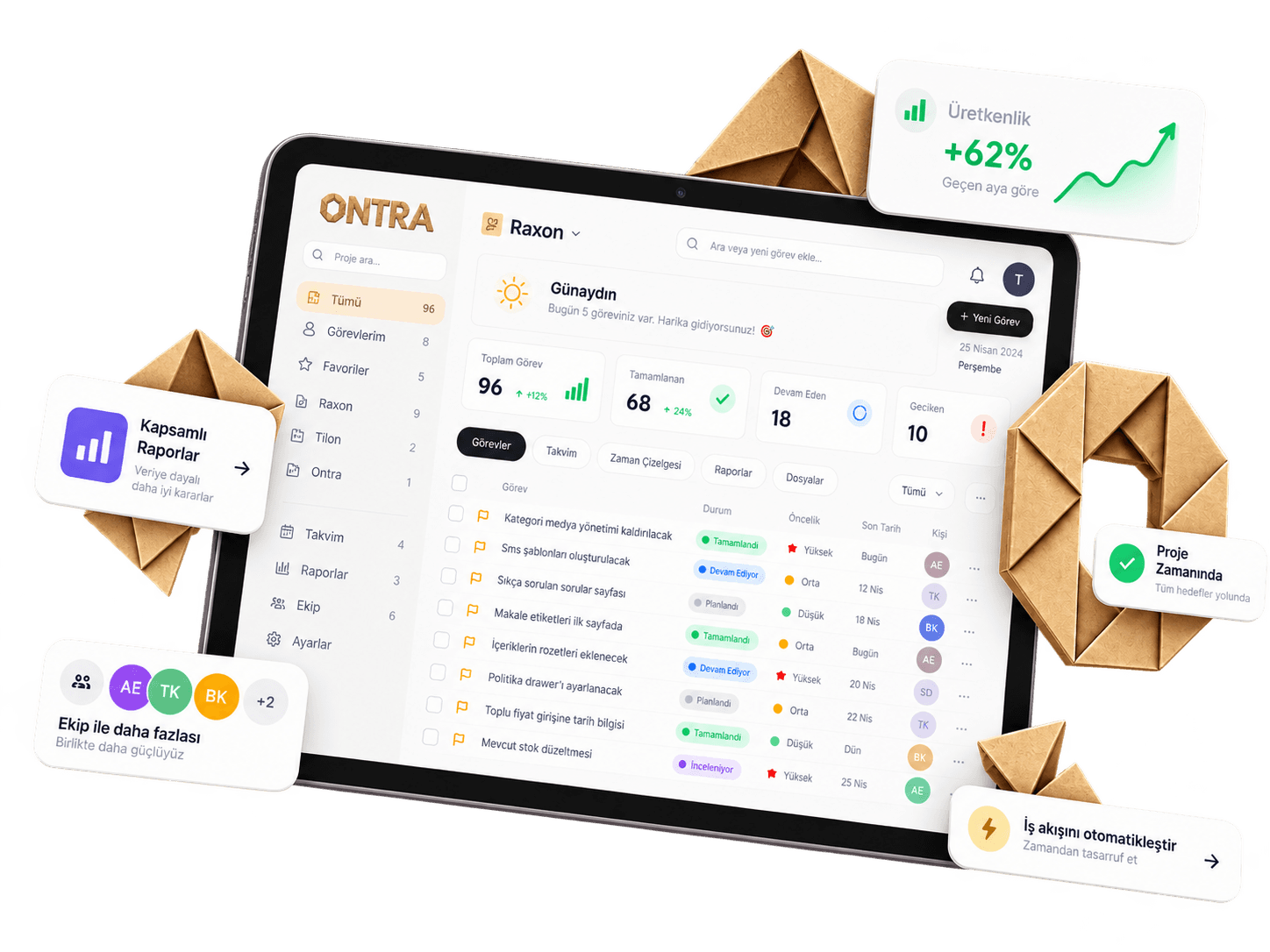
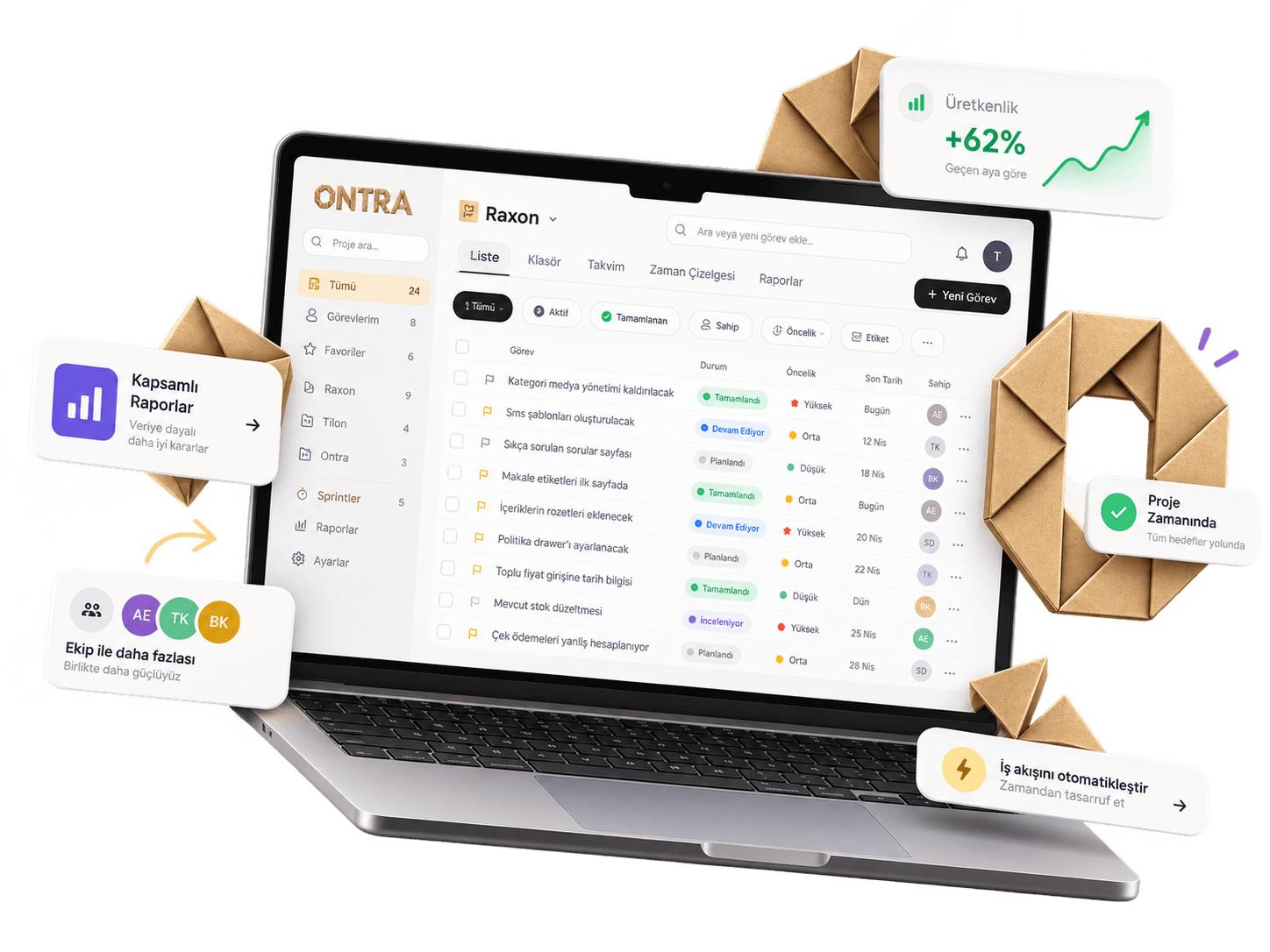
Ontra unites the command center, tasks, project plan, sprints, goals, documents, reports, and support tickets in one workspace. List, board, and map show the same record. Scale with roles, companies, and API access without breaking the team's pace.

Ontra desktop dashboard

The way teams prefer to work

SoftwareAgencyFinanceManufacturingConstructionEducation

Why Ontra

Not scattered tools, one mind.

Task, plan, document, and report read from the same record. Permissions are precise; growth is not a new account. Four decisions carry the team's every day.

01One record
One record

Task, project, plan, and document don't live in separate tabs.

Work you open in the list moves on the board, pins on the map, enters sprint scope, and links to a document. Assignee, status, tags, and permissions stay the same record everywhere — no copies, no drift.

Task · Project · Plan · Document

02Resource permissions
Resource permissions

Permissions that are precise, not blunt.

Access at project, folder, and list level — not just by role. The menu simplifies to match permissions; guests only see, admins configure every resource. Everyone sees their work, nothing more.

Role · Project · Folder · List

03Visible operations
Visible operations

Stuck work lives in the report, not the meeting.

The command center shows SLA, overdue, unassigned, and aging work at once. Effort, close speed, repeat, and delay reports say who is overloaded and which work is how many days late — without a sentence.

Dashboard · Report · SLA

04Multi-company
Multi-company

Room for a holding company — and for your team.

Holdings and branches grow in one account without mixing data. A new company is not a new login; ready permission templates and scoped API keys mean scaling is not rebuilding.

Holding · Branch · API

Platform

All of your work, one workspace.

Ontra isn't a task list — it's the operating system where work is planned, executed, documented, and measured. Eight surfaces, one record.

Single record

Same data, eight surfaces.

Open a task in the list, move it on the board, pin it on the map, add it to sprint scope, attach it to the plan — assignee, status, tags, and permissions stay intact everywhere. Reports and support tickets read from the same workspace.

128open tasks3active sprints86%completion
Live connected
Command center01Command centerOpen work, SLA, overdue items, team capacity, and workspace health at a glance. Export to Excel or PDF.KPISLAAging workExport
Sprints & goals05Sprints & goalsSprint scope, velocity, and completion rate side by side. Goals bind to milestones and key results.ScopeVelocityGoalKR
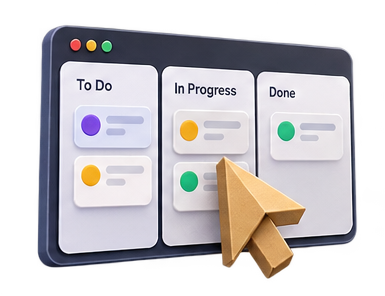
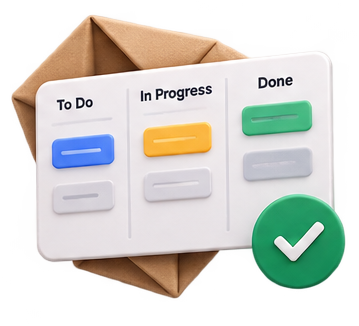
Tasks02TasksList, board, and map show the same record. Folders, lists, tags, saved views, and shortcuts keep the pace.ListBoardMapSaved view
Documents06DocumentsDecisions live inside the project. A page links to a task; a share link can take a password and an expiry.Page treeTask linkShare
Projects03ProjectsOwner, category, effort budget, and progress on one screen. From a project you move into the plan, documents, and sprints.OwnerCategoryProgress
Reports07ReportsEffort, repeat, close speed, delay, and activity. Who is overloaded, which work is how many days late — without a sentence.EffortDelaySpeedActivity
Project plan04Project planModule, use case, feature, and milestone bind in one tree. What will be delivered is read, not debated.ModuleUse caseFeatureMilestone
Support & learning08Support & learningCustomer tickets stay in a queue. The in-panel help center walks through shortcuts, views, and setup step by step.TicketGuideShortcut
  • The same record holds in list, board, and map
  • Plan, sprint, and goal feed from the same spine
  • Reports, tickets, and permissions shape the menu too
Open your workspace free

Features

Fewer tools, more done.

Six layers, one record. Keep scrolling — each layer describes a surface that actually runs in the panel, not a slogan.

Scroll ↓

01 — Tasks

List, board, and map carry the same work.

Switch views without moving the data. Work can be a task, bug, feature, or idea. Filter by status, priority, folder, list, tag, milestone, and assignee; save the view and make it default. N for a new item, Ctrl+K for the palette, ? for shortcuts. Bulk edit and import keep the pace.

ListBoardMapSaved viewTagShortcut
Tasks
02 — Project plan

What will be delivered stays in the tree.

The plan binds four kinds: a module draws scope, a use case carries the scenario, a feature names the concrete work, a milestone locks the delivery. Tasks attach to this tree; sprint scope does not drift from the plan. Goals sit on milestones and key results — the quarter is read, not debated.

ModuleUse caseFeatureMilestoneGoal
Project plan
03 — Documents

A decision does not vanish in chat — it stays on the page.

The page tree belongs to the project. It links to a task, is searchable, and multiplies from a template. When you share outside, put a password and an expiry on the link; the lock screen says who can see it. New hires find the decision on the page on day one, without asking someone.

Page treeTask linkSharePassword
Documents
04 — Reports

Load, delay, and pace are visible without a sentence.

The command center reads open work, SLA, critical blockers, and team utilization at once. Effort shows who spent how many hours, delay how many days a due date slipped, close speed the time from open to close, repeat how often the same work lands on the same person, activity who did what. Export to Excel or PDF.

EffortDelaySpeedRepeatActivitySLA
Reports
05 — Team & permissions

Everyone sees their work, nothing more.

Admin, project lead, member, and guest — the interface simplifies to match permissions. Access is not only by role; it cuts at project, folder, and list level. Custom task statuses and project categories belong to the workspace. An invited person enters the right door and never sees the wrong record.

RoleInviteStatusCategory
Team & permissions
06 — Company, API & support

Opening a branch does not mean a new account.

Multiple companies sit in one panel. Scoped API keys connect task and project flows to your own systems; the key is shown once, then hidden. Customer tickets walk a queue. The in-panel help center walks through setup, shortcuts, and views — without leaving for another tab.

Multi-companyAPITicketHelp center
Company, API & support

Inside the panel

Help center and support tickets are open.

Setup guides, shortcuts, and the customer queue live in the same workspace. Don't switch tools to learn.

Go to panel

Modules

Everything scattered tools do, on one surface.

Twelve surfaces, one data model — no extra modules, no extra subscriptions. All of them open on the same plan.

Live
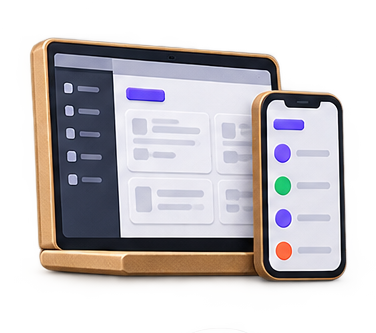
Ontra tablet dashboard%86completion
Tasks01TasksList, board, and map show the same record. Filter by folder, list, tag, type (task / bug / feature / idea), and saved view; N, Ctrl+K, and ? keep the pace.
Projects02ProjectsOwner, category, effort budget, open work, and SLA in one table. From project detail you move into the plan, documents, and sprints on the same spine.
Project plan03Project planA module draws scope, a use case carries the scenario, a feature names the concrete work, a milestone locks delivery. Tasks attach to this tree.
Sprints04SprintsScope, date range, completion rate, and velocity side by side. An emergency sprint opens from the current queue; board and list read the same sprint.
Goals05GoalsA goal sits on a milestone; a key result counts progress. Health and status stay visible; sprint delivery does not detach from the goal.
Documents06DocumentsThe page tree belongs to the project and links to a task. When you share outside, put a password and an expiry on the link; the decision does not vanish in chat.
Reports07ReportsEffort, repeat, close speed, delay, and activity. The command center gathers SLA, aging work, and team utilization in one glance; export to Excel or PDF.
Support tickets08Support ticketsThe customer queue walks open, waiting for reply, in progress, and resolved. N for a new ticket; search and status chips keep a personal queue from scattering.
Command center09Command centerOpen work, critical blockers, sprint health, and team capacity on one screen. Period filter, quick search, and industry examples complete the first look of the day.
Folders & lists10Folders & listsClient, product, or team breakdown lives in a folder. A list belongs to a folder, a task to a list; permissions cut at folder level.
Team & roles11Team & rolesAdmin, project lead, member, guest. Custom task statuses and project categories belong to the workspace. An invited person enters the right door.
API & billing12API & billingA scoped key is copied once, then hidden. Subscription, seats, and payment sit in the same tenant settings. Growth is not opening a new account.

All twelve on one plan. Same record, same permissions, no extra invoice.

Try the modules
Work rhythmNot setup — habit

Monday scattered, Friday clear.

Ontra isn't a setup wizard — it's a rhythm that runs every day of the week. Four verbs, with the panel's real surfaces, become the team's shared reflex.

  1. Gather

    Gather

    Day 1

    Bring everything scattered through one door.

    Excel, chat, email, boards… Translate them all into one language: work, owner, date, project. With import and bulk add, by end of day one no work is stuck "with someone." Folders and lists carry the client or product breakdown from that day.

    ImportBulk addFolderList
  2. Clarify

    Clarify

    Week 1

    Every task has an owner and a date.

    Work without an owner or date is just a wish. In Ontra every card is a promise: who does it, when it ends, which project and which milestone it belongs to. Priority, tags, and a saved view prepare the same filter every morning. The unassigned queue stays visible on the command center.

    AssignmentDatePriorityTagView
  3. Execute

    Execute

    Every sprint

    Let the week flow; blockers reveal themselves.

    Board, sprint, and project plan draw from the same source. Stuck work is not invisible; the delay report says how many days late, effort who is full, activity who did what. The document keeps the decision next to the work — sprint close is a rate you read, not a guess.

    BoardSprintPlanDelayEffort
  4. Scale

    Scale

    Every month

    Grow the team without shaking the system.

    New branch, new client, new team… Ready permission templates, multi-company, and scoped API mean scaling is not rebuilding. Support tickets walk a queue; the help center onboards the new hire into the panel. Goals and reports close the month's account without a meeting.

    Multi-companyAPITicketGoal

7 days free. Take the first step of the rhythm today — no credit card required.

Start building your rhythm

Solutions

Every team works in its own language.

Software, agency, holding, or operations — the structure is yours; Ontra adapts with the panel's real surfaces.

Software01

Software teams

Tasks, bugs, and features sit in the same queue. Sprint scope does not drift from features and milestones in the project plan; completion rate is a number you read on the panel, not a guess.

Plan → Task → Sprint → Report

  • List, board, and map carry the same record; a saved view is ready every morning
  • Module, use case, feature, and milestone bind in the project plan
  • Sprint scope, velocity, and completion rate sit side by side
  • Delay and effort reports show who is full and which work is late
  • The decision lives in the project document; it links to the task and does not vanish in chat
Software teams
Agency02

Agencies

Every client is a separate folder, every delivery a separate project — operations stay in one panel. Approval lives in the document; the team only sees the relevant client.

Client → Folder → Delivery → Approval

  • Client-based folders, lists, and tags keep the queue from mixing
  • The delivery document lives next to the work; sharing locks with a password and an expiry
  • Open the team only to the relevant project — guests see nothing extra
  • A campaign sprint walks a date range and a completion rate
  • Support tickets stay in the client queue as open / waiting for reply
Agencies
Holding03

Multi-company

Holding, branches, and teams under one roof. Data does not mix; permissions cut at the resource. The admin panel sees the full structure; a branch sees its own work.

Company → Branch → Role → Report

  • Manage multiple companies in one account, with separate data boundaries
  • Role and resource permissions do not mix at project, folder, and list level
  • The command center reads SLA, capacity, and critical blockers across the structure
  • A scoped API key connects a branch integration to your own systems
  • Goals and milestones stay without drift across companies
Multi-company
Operations04

Operations teams

Field, store, or support queues carry the same work on the map and in the list. Overdue, unassigned, and repeating work stays visible in reports.

Ticket → Task → Map → Report

  • Map view pins located work; list and board read the same record
  • The repeat report shows how often the same work lands on the same person
  • Close speed is time from open to resolve; delay is how many days a due date slipped
  • Support tickets walk a personal queue; N opens a new ticket
  • Custom statuses and categories write the operations language into the workspace
Operations teams
Mobile · browser + PWA · no install

Manage Anytime, Anywhere

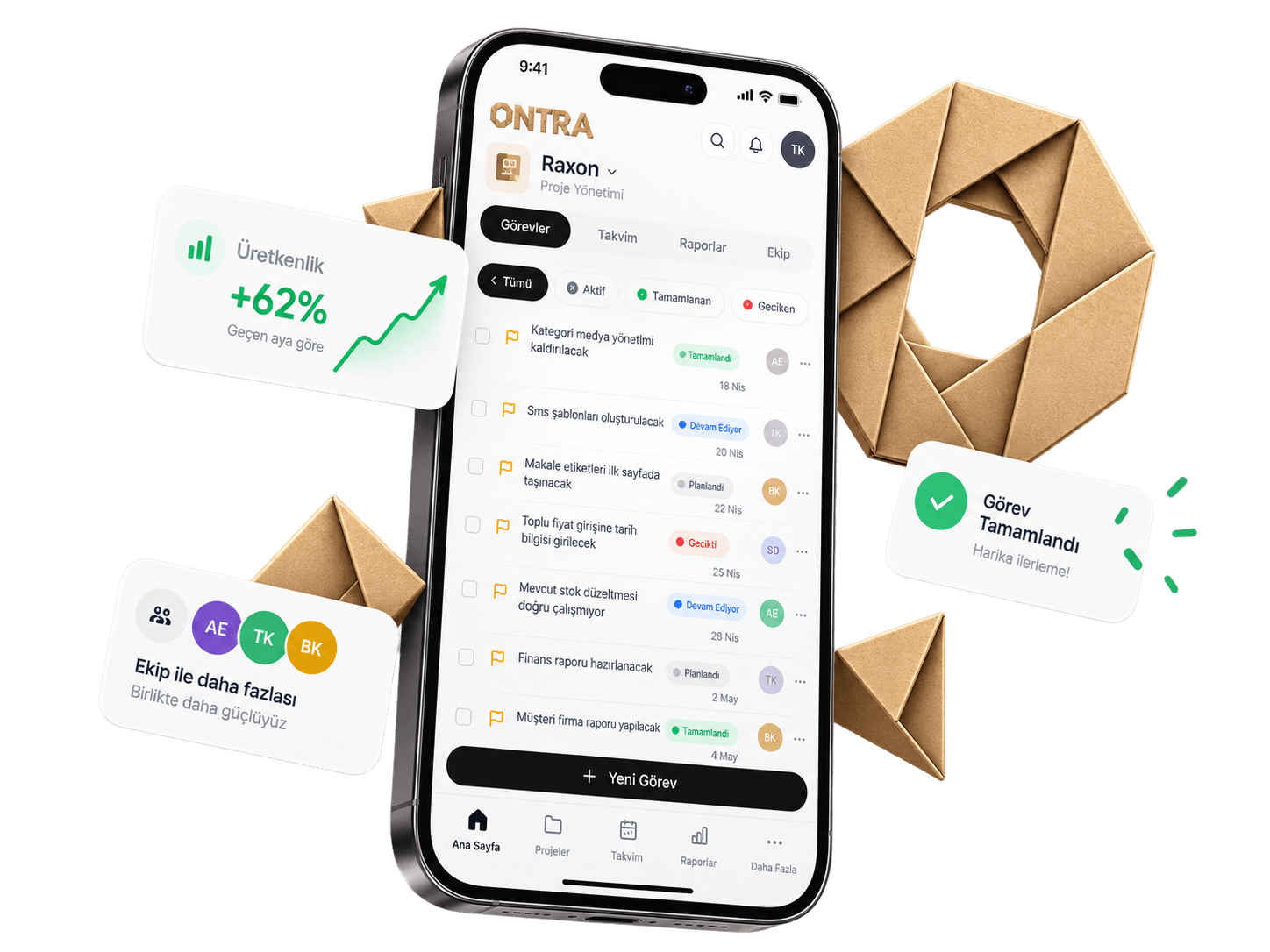
At your fingertips. Work you start on desktop continues on your phone — same data, same permissions, same speed.

Live sync
Ontra mobile app — task list, productivity, and team cards

Mobile experience

A full command center in your pocket.

No app store wait. Open the link, sign in — projects, sprints, and documents at your fingertips.

  • No install — full panel in mobile browser
  • Offline drafts sync when connection returns
  • Push notifications for assignments and comments
Open in mobile browser
Offline draftPWAPush
01

Guided workflow

Milestones, tasks, and documents in the same context — goodbye to scattered tools.

Kanban · List · Sprint

02

Pick up anytime

Statuses, sprints, and roadmap update instantly; the team stays in sync.

Live sync · PWA

03

Intentional records

Rich editor, page structure, and project links keep knowledge from getting lost.

Editor · Page tree

04

Calm control

Secure scaling with roles, permissions, and multi-company support.

RBAC · Multi-company

Architecture & AssuranceZero Trust Standard

Invisible armor, quiet control.

Your data doesn't scatter across dozens of external plugins. Ontra quietly draws your company's digital boundaries with a resource-based hierarchical architecture.

ONTRA · SECURITY PROTOCOL
I

Core Encryption & Isolation

Data doesn't scatter — it's sealed in one secure core.

01

256-Bit AES & TLS 1.3

Data is encrypted to banking standards both at rest and in transit.

02

Multi-Tenant Logical Barrier

Each company's and workspace's data is absolutely isolated from other organizations.

03

Geographic Auto-Backup

Daily snapshots and zero data-loss assurance against disaster scenarios.

“Security isn't a layer added later; it's the foundation of Ontra's architecture.”

Architecture MarkerActive Shield
Core Encryption & Isolation
Encryption AlgorithmAES-GCM-256
Transport ProtocolTLS 1.3 Strict
Isolation ModelTenant-Scoped RLS
All sessions and data flows carry cryptographic verification signatures.
01

Zero Sprawl Principle

Your data doesn't scatter across five micro-plugins or third-party storage services. Tasks, documents, and roadmaps live on one sealed backbone.

02

Natural Role Simplification

Permission isn't just a restriction tool — it creates mental clarity by hiding menus and buttons that distract employees.

03

Transparent & Silent Ledger

Who accessed what data and when is never a question. Every action is recorded with an immutable timestamp that safeguards institutional trust.

Experience enterprise security standards in your workspace.
All Business plan authorization and logging tools open for 7 days.
Start Securely

Pricing

Choose the plan that fits your journey.

One plan, all features included. Pay per seat — add as you grow, remove as you shrink.

One plan · Everything included

$4.99/ seat
/ mo

Billed upfront on annual payment.

Team size

5
seats
$299.40/ year · 5 seats

Save $180 vs monthly

Start 7-day free trial

No credit card · Cancel anytime

Everything included

No tiers, no fine print.

  • Unlimited projects and tasks
  • List, board, and map
  • Saved views, tags, folders, and lists
  • Project plan: module, use case, feature, milestone
  • Sprints and goals
  • Document editor, page tree, and shared links
  • Command center; Excel and PDF export
  • Reports: effort, delay, speed, repeat, activity
  • Support tickets and help center
  • Multi-company and branch
  • Roles, resource permissions, custom statuses, and categories
  • Scoped API keys
  • Mobile browser + PWA
  • Priority support

50+ seats?

Let's talk volume licensing and onboarding support for enterprise teams. Get a quote →

Customer stories

Real stories: clarity, pace, and confidence with Ontra.

Teams who left scattered tools behind for one calm panel tell their story.

say status meetings decreased
73%
early user satisfaction score
4.9/5
average setup and adoption
1 day
tasks, sprints, roadmap, documents
One panel
Software · 24 people
“After switching to Ontra, we stopped having meetings just to ask about project status. Everything is in the panel — clear.”
Status meetings dropped from 4 hours to 30 minutes per week
EKElif KayaProduct Manager · On Ontra since 2023
Engineering · 18 people
“The roadmap gave the team a shared language. Priorities aren't debated anymore — they're read.”
MYMert YılmazEngineering Lead · 86% sprint completion
Operations · 32 people
“When documents live inside projects, knowledge loss ended. New hires are productive from day one.”
ZAZeynep ArslanOperations · Onboarding from 3 days to 1
SoftwareAgencyFinanceManufacturingConstructionEducation
Write your own story

Still have a question?

We're here to help.

For software teams, agencies, holdings, and field/operations teams that run projects. The shared need is the same: task, plan, document, and report stay on one record; permissions cut at project, folder, and list level.

Command center; tasks (list, board, map, saved views, tags, folders, lists, shortcuts); projects and the project plan (module, use case, feature, milestone); sprints and goals; documents (page tree, task link, password-protected share); reports (effort, repeat, close speed, delay, activity); support tickets; help center; team, roles, custom task statuses, project categories, multi-company, and scoped API keys. All on one plan, no extra packs.

Three layouts: list, board, map. Work type can be task, bug, feature, or idea. Filter by status, priority, project, folder, list, tag, milestone, and assignee; save the view and make it default. N for a new item, Ctrl+K for the command palette, ? for the shortcut window. Bulk edit and import keep the pace.

The plan is the project's spine, not a timeline slide. A module draws scope, a use case carries the scenario, a feature names the concrete work, a milestone locks delivery. Tasks attach to this tree. Goals sit on milestones and key results; sprint scope is read from the plan.

Effort: who closed how many tasks and their load. Repeat: how often the same work lands on the same person. Close speed: time from open to close. Delay: how many days or hours a due date slipped. Activity: who opened, closed, or commented. The command center reads these with SLA, aging work, and team capacity; export to Excel or PDF.

Yes. The page belongs to the project and links to a task. You put a password and an expiry on the share link; the lock screen says who can see it. The decision does not vanish in chat.

You complete the move step by step with task import, bulk edit, and folder/list breakdown. The in-panel help center covers first login, shortcuts, and views. We also offer onboarding support if you'd like.

There are admin, project lead, member, and guest roles. Alongside that, access is defined at project, folder, and list level. The menu simplifies to match permissions; guests only see, admins configure the resource.

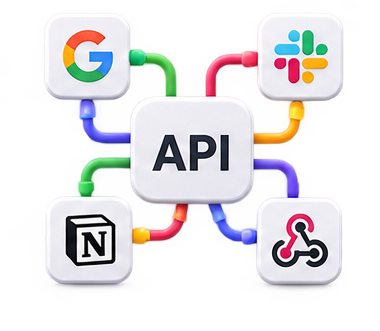
You generate a scoped API key in tenant settings. The full text is shown once; after a refresh it is hidden. Connect task and project flows to your own systems. There is no webhook yet; key revoke and rotation happen from the panel.

Yes. All surfaces are open for 7 days without a credit card. Cancel anytime; pay monthly or yearly per seat.

The web app runs as a full panel in mobile browsers and can be added to the home screen as a PWA. Native store apps are on the roadmap.

Your data is stored encrypted at rest and in transit on secure cloud infrastructure. Tenants are isolated from each other. Role-based access, session management, and an audit trail are on by default.

Resources

Learn, then ship

The blog explains why work stays on one record: access, sprints, the demo, and per-seat pricing.

All posts

7 days free · no credit card

Bring your team to one panel .

All surfaces open for 7 days: tasks, plan, sprint, document, report, and ticket. Setup takes a day; clarity starts on day one. Plans from $7.99 per seat.

✓ Setup in 1 day✓ Cancel anytime✓ Support in Turkish